
Plex: Find Movies & TV Shows
Plex, Inc.Entertainment
3.542.67K Reviews
- Version
- 2026.22.0
- Installs
- 100.00M
- Age Rating
- Teen
Screenshots
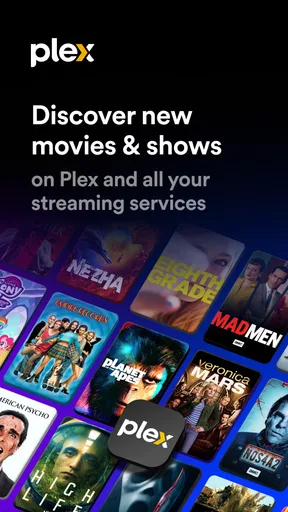
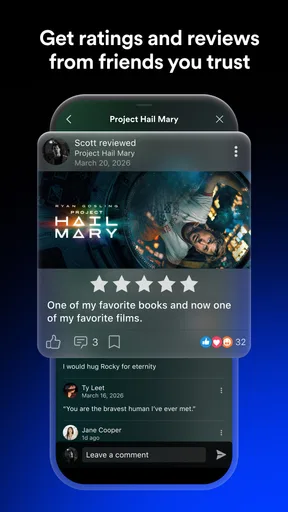
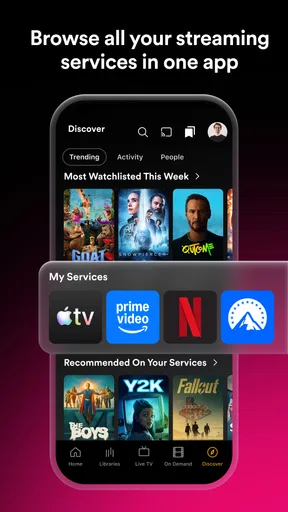
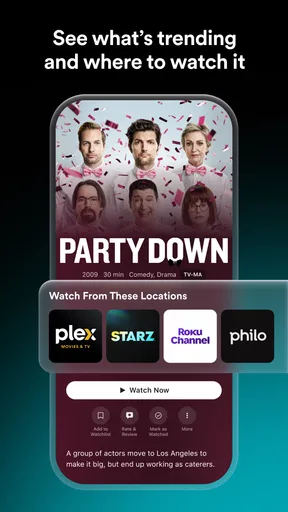
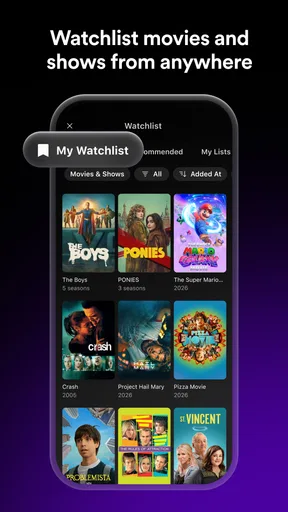
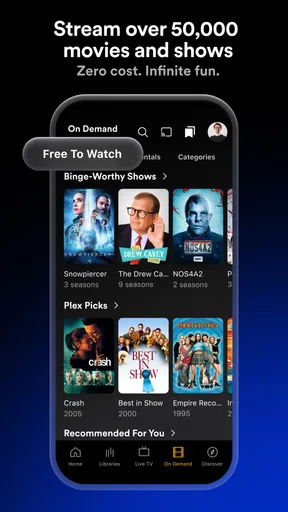
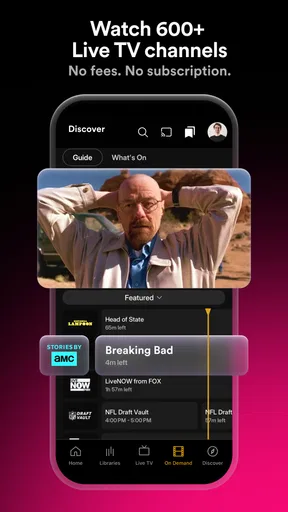
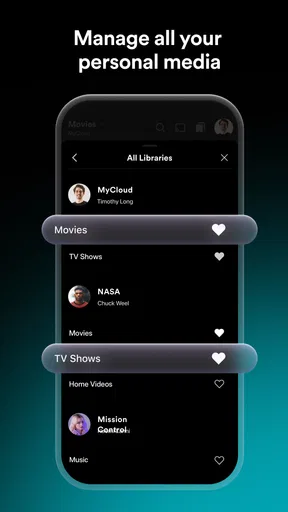
Our Review of Plex: Find Movies & TV Shows
 Analysis by Appyee
My usual streaming routine starts with a familiar problem: I open one service, scroll for a while, then switch to another because I cannot decide what to watch. Plex: Stream Movies & TV offers a different starting point by bringing free, ad-supported entertainment, live channels, and personal media into one app. I like the idea, though it works best when I treat Plex as a convenient hub rather than assume it replaces every paid streaming service.
First, choose what kind of viewing you want
Plex is an entertainment app from Plex, Inc., and it is free to install. Its average rating is 3.7 from around 472,000 ratings, with more than 50 million installs. That reach makes sense: it can serve casual viewers who want something to put on without choosing a subscription, as well as people who already maintain a personal media collection.
The important distinction is that Plex combines different sources rather than presenting one uniform catalog. You can browse the free movies, shows, and live channels available in the app, or use it to reach media you have organized yourself. That makes the first decision practical: are you looking for something to watch right now, or trying to make your own collection easier to access?
A Seamless Streaming Experience
Right off the bat, Plex is like that friend who always knows what movie or show you’d love to watch next. It offers a vast library of content, from blockbuster hits to indie gems, and even a selection of live TV channels. The interface is sleek, intuitive, and downright addictive. Navigating through genres and categories feels like flipping through a well-organized digital magazine.
How I move from browsing to watching
When I do not have a particular title in mind, I start with the home screen and browse by category instead of searching one service after another. This is where Plex’s mixed catalog is useful: a film, a series, and a live channel can sit within the same general discovery routine. The trade-off is that a hub cannot guarantee that every title I want is available there; if I am after a specific new release, I may still need the service that carries it.
Recommendations can help narrow the choices, but I treat them as a starting point, not a promise that every suggestion will match my mood. If I am watching with someone else, a quick scan of categories can be more useful than following a personalized feed too literally. For a low-effort evening, I might browse until something appealing appears; for a planned watch, searching directly is usually the faster route.
Personalized Recommendations
One of the standout features is its personalized recommendation system. Plex seems to know my tastes better than I do! After a few days of use, it started suggesting movies and shows that were right up my alley. It’s like having a personal DJ, but for movies. Seriously, if you’re into discovering new content, this app’s got your back.
A useful way to make discovery work for you is to give recommendations a little room to surprise you. If I only choose familiar genres, the suggestions can feel predictable; browsing beyond them is more likely to surface something I would not have searched for. Still, taste is personal, and an off-target recommendation is not a reason to write off the catalog. I simply move on rather than spending time trying to train the app around one short viewing session.
Your Media, Your Way
Plex goes beyond just streaming; it also allows you to organize and stream your personal media library. Got a collection of old home videos or music files? Plex lets you access them alongside mainstream content, giving you a truly customized entertainment hub. It’s a nifty way to keep everything in one place without the hassle of switching between apps.
This personal-library side is most valuable when you already have media you want to keep reachable across devices. It is not the same as signing up and immediately receiving a ready-made collection of your own files: organizing that library is a separate task, so I would not recommend Plex solely as a shortcut for someone who has no personal media to manage. For someone with family recordings or a carefully maintained collection, though, bringing those files into the same viewing habit can make the app feel more useful than a catalog-only streamer.
Live TV & DVR
If you're someone who loves the spontaneity of live TV, Plex delivers that too. With its live TV and DVR functionality, you can catch live news, sports events, and more. I found myself surprisingly drawn to this feature, as it’s not something many apps offer without a hefty subscription fee. Plus, you can record shows and watch them at your leisure—perfect for those with unpredictable schedules.
Live channels suit a different mood from on-demand browsing: I can turn something on without choosing a particular film first. DVR is more useful when there is a program I know I want to catch later, especially when the viewing time does not fit my day. I would not rely on a live channel as a substitute for a specific event or program without checking what is available in the app. The practical benefit is flexibility, not a guarantee that every broadcast I want will be there.
Access Anywhere, Anytime
One of Plex’s charms is its cross-platform accessibility. Whether you’re on your phone, tablet, or smart TV, your Plex library is just a tap away. I tested it across different devices, and the experience was consistently smooth. No lag, no glitches, just pure streaming joy. It’s ideal for someone who’s always on the move but doesn’t want to miss out on their favorite content.
A realistic handoff might look like browsing on a phone during a commute, then choosing something to watch later on a television at home. The value is that Plex is not confined to one screen, so the same general entertainment routine can follow me between devices. I still choose the screen to match the situation: a phone works for a short break, while a larger display is better for a movie night. Cross-platform access is convenient, but it does not make every device equally comfortable for every kind of viewing.
A Hub for the Whole Family
Family sharing is another feather in Plex's cap. It allows you to create multiple user profiles so everyone in the family can have their own personalized experience. From kids' shows to documentaries, everyone gets to choose what they want to watch without stepping on each other’s toes. It’s a peacekeeper in app form!
Profiles are helpful when different people use the same household setup and do not want every recommendation shaped by someone else’s choices. I would still take a moment to check the app’s Teen content rating and make sure the viewing options suit the person using it, rather than treating profiles as a substitute for family judgment. For a shared screen, agreeing on what to watch is still part of the evening; Plex can reduce crossed-up preferences, but it cannot settle the “what are we in the mood for?” question by itself.
Customization Galore
If you love to tinker with settings and make things your own, Plex won’t disappoint. The app offers a range of customizable features, from the layout of your home screen to the way content is displayed. It's a bit like playing with digital LEGO blocks—endlessly satisfying.
My advice is to adjust the experience only after trying the default setup for a little while. Small changes to how content is presented can make returning to the app more comfortable, but too much tweaking at the start can distract from the main job: finding something to watch. If I share a device with other people, I also keep in mind that a personalized layout may not suit everyone equally.
Where Plex fits among streaming choices
Compared with opening several subscription apps one by one, Plex is appealing when I want a single place to browse free entertainment and personal media. Compared with a dedicated subscription service, it is less suited to someone who expects one particular paid catalog to be complete and central. And compared with using a media player only for personal files, Plex adds discovery and live viewing to the same general experience. The best choice depends on the job: use Plex for variety and consolidation, and a dedicated service or player when its specific catalog or focused workflow matters more.
The app itself is free, while in-app purchases are listed at prices ranging from $0.99 to $324.99 per item. I would check what a purchase covers before committing, especially if my goal is simply to watch free content. That distinction matters: free entry makes it easy to explore, but it does not mean every optional purchase is necessary for every viewer.
Community and Support
Plex boasts a vibrant community and robust support system. Whether you’re troubleshooting an issue or looking for content recommendations, the community forums and help sections are a treasure trove of information. It’s reassuring to know you’re not alone in your streaming journey.
When something feels unclear, I first work out which part of the experience is involved: browsing free content, managing my own media, or using live TV. That simple distinction helps me look for a more relevant answer instead of assuming all playback or library questions have the same cause. It is also a useful reminder that Plex has several roles inside one app, and a question about organizing personal files is different from a question about finding a show.
Who should make Plex part of the routine?
I would recommend giving Plex a try if you want a free way to browse entertainment, enjoy live channels, or bring a personal collection into a wider media routine. It is particularly appealing if you like discovering something without committing to a particular title, or if you switch between mobile devices and a television. Someone who only wants a carefully selected paid catalog, dislikes browsing, or expects every favorite show to be available in one place may be happier with a dedicated subscription service.
Overall, Plex: Stream Movies & TV is a powerhouse of an app that manages to strike a balance between comprehensive content offerings and user-friendly features. Whether you’re a casual viewer or a hardcore binge-watcher, Plex has something for everyone. It’s more than just a streaming app; it’s a complete entertainment ecosystem. So, if you're ready to elevate your viewing experience, give Plex a try. You might just find it becoming your new favorite app.
Privacy and Permissions
See what permissions an app requests and how it handles your data.
- Microphone
- record audio
- Wi-Fi connection information
- view Wi-Fi connections
- Other
- view network connections, change network connectivity, allow Wi-Fi Multicast reception, full network access, run at startup, control vibration, prevent device from sleeping
Verdict
Strengths of Plex: Find Movies & TV Shows
- User-friendly interface for easy navigation.
- Supports various media formats seamlessly.
- Offers free ad-supported streaming options.
- Allows personal media server setup.
- Cross-platform compatibility enhances accessibility.
Limitations of Plex: Find Movies & TV Shows
- Requires subscription for premium features.
- Ads can be intrusive during streaming.
- Initial setup might be complex for beginners.
- Limited offline viewing without premium.
- Some features locked behind region restrictions.
Other Releases by Plex, Inc.
View All
Plexamp
Music & Audio4.5
Similar Picks in This Category
View All
Google Play Games
Google LLC3.9

Netflix
Netflix, Inc.4.8

YouTube Kids
Google LLC4.2

Disney+
Disney4.4

Prime Video
Amazon Mobile LLC4.7

Steam
Valve Corporation3.2
Frequently Asked Questions
What is Plex: Stream Movies & TV, and how does it work?
Plex is a versatile media streaming app that allows you to stream movies, TV shows, and personal media collections from anywhere. It organizes your content, offering a seamless experience across devices. With both free and premium features, Plex provides access to a vast range of entertainment by connecting your libraries to the Plex server.
Is Plex free to use, or are there subscription costs involved?
Plex offers a free version with access to basic features like streaming your personal media and some free movies and shows. However, to unlock advanced features like offline access, better streaming quality, and live TV, a Plex Pass subscription is available at a monthly, yearly, or lifetime fee.
Can I use Plex to watch live TV and record shows?
Yes, Plex supports live TV streaming and DVR functionality, but it requires additional hardware like a digital antenna and a compatible tuner. Once set up, you can watch and record live TV directly through the app, making it a comprehensive solution for cord-cutters.
What devices are compatible with Plex?
Plex is compatible with a wide range of devices including Android and iOS smartphones and tablets, smart TVs, streaming devices like Roku and Apple TV, gaming consoles, and computers. This flexibility makes it easy to access your media on nearly any device you own.
How secure is my data when using Plex?
Plex prioritizes user privacy and security. The app uses encryption to secure your data and offers features like two-factor authentication for added protection. Plex does not store personal media on its servers, ensuring your media library remains private and accessible only to you.
